3D and CAD Artist Blue Linear Icons Set
Imagine opening a design project and instantly finding clean, consistent, scalable icons that match your technical aesthetic—no hunting through mismatched packs, no resizing headaches, no color clashes. That’s what the 3D and CAD Artist Blue Linear Icons Set delivers: a curated collection of minimalist, line-based icons designed specifically for engineering, modeling, drafting, and digital fabrication workflows.
What It Is—And What It Isn’t
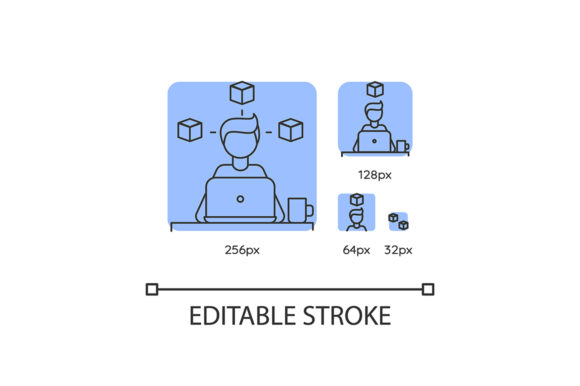
This isn’t a generic icon library with abstract shapes or decorative flourishes. Every icon in the set is purpose-built around 3D modeling and CAD concepts—think wireframe cubes, orthographic projection views (top/front/side), Boolean operation symbols, mesh topology indicators, coordinate axes, CNC toolpaths, STL file representations, and parametric controls. They’re drawn in a crisp, uniform linear style with subtle blue tonality—not bright or playful, but calm, precise, and professional. All icons are vector-based (SVG and EPS), fully editable, and scale without loss at any size.
Importantly, it doesn’t include photorealistic renders, textured assets, or animation-ready files. It’s not meant for UI kits or mobile app interfaces. Its strength lies in clarity, context, and cohesion—especially where visual precision supports technical communication.
For Beginners Learning CAD or 3D Modeling
If you’re just starting with Fusion 360, Blender, or Onshape, visual cues help bridge the gap between interface jargon and real-world function. A simple line icon showing a “boolean union” operation next to a tutorial step makes abstract terminology tangible. These icons can be dropped into personal cheat sheets, Notion study dashboards, or annotated screenshots—helping reinforce spatial and procedural thinking without overwhelming detail. For learners, consistency matters more than complexity: seeing the same clean symbol for “extrude” across different resources builds recognition faster.
For Educators and Trainers
When building course slides, lab handouts, or LMS modules, clarity trumps creativity. The 3D and CAD Artist Blue Linear Icons Set gives instructors a neutral, discipline-aligned visual language. You can label diagram components—like “origin point,” “sketch plane,” or “render viewport”—without introducing brand-specific UI elements that date quickly. Because all icons share the same stroke weight, spacing, and color logic, they integrate smoothly into PDFs, printed manuals, or accessibility-optimized web content. No need to justify why one icon looks bolder or bluer than another—it just works, uniformly.
For Freelancers and Small Studio Designers
You’re often juggling client decks, proposal visuals, and internal process documentation—all under tight deadlines. Having a trusted, ready-to-use icon set cuts down time spent sourcing or redrawing assets. Need to visualize a workflow showing “import → mesh repair → slicing → print”? These icons let you map it cleanly in Figma or PowerPoint—no licensing worries, no attribution clutter. And because they’re SVG, you can recolor them on-the-fly to match a client’s brand palette while preserving their technical readability.
For Technical Marketers and Content Creators
Writing about slicer software updates, generative design tools, or simulation workflows? Readers skim. A well-placed icon next to a feature bullet—like a stylized “finite element grid” or “G-code preview”—anchors attention and improves retention. Unlike stock illustrations, these icons signal subject-matter fluency. Your audience (engineers, makers, procurement specialists) subconsciously register: *This creator understands our tools.* That builds credibility faster than paragraphs of explanation.
For Hobbyists and Makers
Whether you’re documenting a custom 3D-printed enclosure on Instructables or labeling control panels for a DIY CNC build, visual shorthand helps others follow along. A blue linear icon for “homing sequence” or “bed leveling” communicates intent clearly—even if your audience includes beginners who haven’t yet memorized firmware commands. These icons aren’t flashy, but they’re respectful of the craft: precise enough for accuracy, simple enough for quick comprehension.
What to Consider Before Using It
Your priorities shape whether this set fits your needs. Here’s how common concerns play out:
- Ease of use: Drag-and-drop compatible with Illustrator, Figma, Sketch, and even LibreOffice Draw. No plugins or converters needed.
- Flexibility: Each icon is layered and grouped logically—stroke paths remain editable, so you can adjust corner radius, add arrowheads, or isolate parts of a multi-element icon (e.g., separate the “axis” from the “grid” in a viewport symbol).
- Presentation value: The restrained blue tone ensures icons sit comfortably beside grayscale schematics or monochrome technical drawings—no visual competition.
- Long-term usefulness: Since these represent foundational concepts—not fleeting UI patterns—they won’t feel outdated when software interfaces change. A “wireframe toggle” icon stays relevant whether you’re using Rhino 7 or Blender 4.2.
- Learning value: For students or self-taught users, the icon set doubles as a visual glossary—hover over an icon in your design tool, and its filename (e.g., cad-view-isometric.svg) reinforces terminology.
When It Might Not Be the Right Fit
If your work demands photorealism, animated transitions, or highly branded UI elements (like glowing buttons or gradient-filled toolbars), this set won’t meet those goals—and that’s intentional. It also doesn’t include icons for non-technical domains (e.g., “user profile,” “shopping cart,” or “settings gear”), so pairing it with a broader system requires thoughtful integration.
And while the blue tone is versatile, it’s not neutral gray. If you regularly produce high-contrast black-and-white print materials where color adds no functional value, you may prefer a true monochrome variant—or simply recolor the icons yourself (which is straightforward thanks to the clean vector structure).
A Practical Starting Point
Try this: open your most-used technical document—a spec sheet, a workshop outline, or a GitHub README for a hardware project. Scan for places where a short visual could replace or support a phrase like “rotate view,” “export as STEP,” or “apply fillet.” Now imagine dropping in a matching icon from the 3D and CAD Artist Blue Linear Icons Set. Does it clarify? Does it feel native to the context? If yes, you’ve found your fit.
No single icon set solves every problem—but when precision, consistency, and domain awareness matter more than ornamentation, this one quietly earns its place in the toolkit.