What Is a Papercut Background? Exploring Colorful, Creative, and Customizable Design Elements
Understanding the Basics: What Exactly Is a Papercut Background?
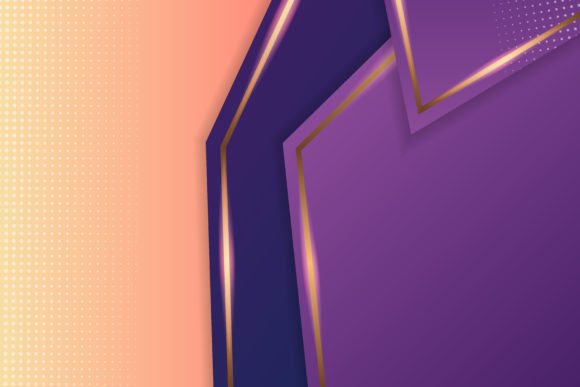
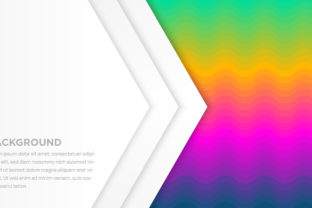
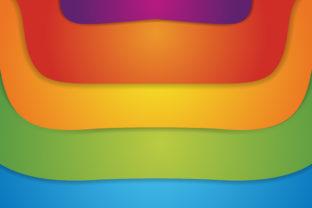
A papercut background is a digital or physical design element inspired by the traditional art of papercutting — a centuries-old craft where intricate shapes, patterns, and silhouettes are carefully cut from paper. In modern digital design, a “papercut background” refers to a layered, dimensional, often colorful visual backdrop that mimics the tactile depth, shadow play, and organic texture of hand-cut paper. It’s not merely a flat image; it’s a composition built with intentional layering, subtle drop shadows, soft edges, and vibrant color palettes that evoke the warmth and authenticity of analog craftsmanship.
Unlike generic stock backgrounds or minimalist gradients, papercut-style backgrounds bring personality, movement, and narrative. Think of a cheerful greeting card with layered floral motifs floating above a sunlit sky, or an educational website banner featuring bold, interlocking animal silhouettes in saturated tones — each element appears “cut out” and thoughtfully placed, inviting the viewer to explore visual relationships and spatial storytelling.
Why Papercut Backgrounds Stand Out in Today’s Visual Landscape
In an era dominated by sleek glass-morphism, hyper-realistic 3D renders, and AI-generated imagery, papercut backgrounds offer something refreshingly human: imperfection with intention. Their charm lies in visible craftsmanship — slight variations in edge texture, gentle overlaps, and thoughtful color blocking that signal care and creativity. This resonates deeply with audiences seeking authenticity, especially in branding, education, and wellness spaces.
From a psychological standpoint, colorful papercut backgrounds stimulate positive emotional responses. Warm reds and oranges convey energy and friendliness; cool blues and greens suggest calm and trust; bright yellows and purples spark curiosity and imagination. When used strategically, these palettes support messaging — for instance, a children’s literacy app might use layered papercut letters and animals in joyful, high-contrast hues to reinforce engagement and memory retention.
Where Papercut Backgrounds Make Real-World Impact
Educational Tools and Learning Environments
In classrooms — both physical and virtual — papercut backgrounds help simplify complex ideas. A science teacher might use a background showing layered cutouts of the solar system (planets at varying depths) to illustrate relative scale and orbit. Similarly, history timelines can become visually memorable when eras appear as overlapping paper strips in distinct colors. These designs reduce cognitive load by turning abstract concepts into tangible, spatial experiences.
Small Business Branding and Marketing
Local cafes, boutique studios, and handmade goods sellers frequently adopt papercut aesthetics because they communicate handmade values without requiring literal photos of artisans at work. A bakery’s Instagram story with a papercut background of stacked croissants, coffee cups, and wheat stalks in warm ochre and cream tones feels personal, nostalgic, and inviting — far more relatable than a sterile product photo on white.
Digital Interfaces and Web Design
Modern UI designers integrate papercut-inspired elements to add depth without sacrificing usability. For example, a mental health app may use soft-edged, layered papercut icons (a sun behind a mountain behind a tree) in its onboarding screens — subtly reinforcing themes of growth, perspective, and calm. These visuals improve user engagement while maintaining accessibility through sufficient contrast and clear hierarchy.
Debunking Common Misconceptions
Myth #1: “Papercut backgrounds are only for kids’ content.”
While playful and intuitive, this style scales beautifully across age groups and industries. Financial advisors have used papercut infographics to explain compound interest with layered coins and growth charts. Universities feature papercut campus maps in admissions brochures — blending tradition, clarity, and visual warmth.
Myth #2: “They’re hard to customize or adapt.”
On the contrary — most digital papercut assets are built using vector-based layers (SVG or layered PSD files), making them fully editable. Designers can swap colors, rearrange elements, adjust opacity, or isolate components for animations — all without quality loss. Many creative marketplaces even offer “color-swappable” papercut kits designed specifically for non-designers like teachers or small business owners.
Myth #3: “It’s just decoration — no functional value.”
That’s rarely true. Well-executed papercut backgrounds serve multiple roles: guiding the eye (through strategic layering), reinforcing brand voice (via color psychology and motif choice), improving scannability (with visual grouping), and increasing dwell time (by encouraging exploration of details). In short, they’re functional art.
How to Choose or Create an Effective Papercut Background
Whether you’re selecting a ready-made design or commissioning a custom one, keep these principles in mind:
- Purpose first: Ask, “What action or feeling should this background support?” A newsletter header needs clarity and quick recognition; a presentation slide may prioritize storytelling over detail.
- Color harmony matters: Limit your palette to 3–5 cohesive hues. Use tools like Coolors or Adobe Color to test contrast ratios — especially if text will overlay the background.
- Layer with intent: Foreground elements should be bolder or brighter; mid-ground adds context; background layers provide subtle texture or atmosphere. Avoid overcrowding — negative space is part of the papercut aesthetic.
- Consider scalability: Ensure the design looks balanced on mobile, tablet, and desktop. Test how key elements hold up at smaller sizes — tiny cutout details may vanish on smartphones.
- Respect accessibility: Maintain a minimum contrast ratio of 4.5:1 between text and background layers. Use subtle outlines or semi-transparent overlays when needed.
Real-Life Examples That Bring the Concept to Life
Take The Nature Conservancy’s 2023 Earth Day campaign: their landing page featured a dynamic papercut background of layered forests, oceans, and wildlife — each ecosystem rendered in regionally accurate colors and arranged to suggest interconnectedness. Users didn’t just scroll past; they paused, zoomed, and shared specific sections — proving how emotionally resonant layered paper art can drive engagement.
Another example: Canva’s “Back to School” template library includes dozens of papercut-style classroom backgrounds — apples, books, globes, and chalkboards — all customizable by color and layout. Teachers report higher student participation when using these visuals in digital assignments, citing increased familiarity and reduced visual fatigue compared to busy photographic backdrops.
The Future of Papercut Design: Blending Tradition With Innovation
As generative AI tools evolve, we’re seeing exciting hybrids — like AI-assisted papercut generators that let users describe a scene (“a rainy city street with umbrellas and glowing windows”) and receive layered, editable SVG outputs styled like hand-cut paper. These tools don’t replace artisans; instead, they democratize access to expressive visual language.
Meanwhile, sustainability trends are reinforcing the appeal of papercut aesthetics. Brands increasingly highlight eco-conscious values through visuals that reference natural materials — recycled paper textures, botanical motifs, earthy pigments. A papercut background isn’t just decorative; it’s a quiet statement about care, craft, and connection.
Final Thoughts: More Than Just Pretty Pictures
A colorful papercut background is never *just* background. It’s a bridge between heritage and innovation, simplicity and sophistication, function and feeling. Whether you're designing a lesson plan, launching a startup, building a portfolio, or crafting a heartfelt invitation, choosing — or creating — a thoughtful papercut background signals attention to detail, respect for your audience’s experience, and confidence in the power of visual storytelling.
So next time you see layered paper birds soaring across a website banner or geometric shapes dancing behind a podcast cover — pause for a moment. Look closely. Notice the shadows, the colors, the rhythm of the cuts. You’re not just seeing decoration. You’re witnessing intention, translated into form.