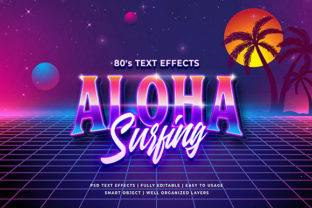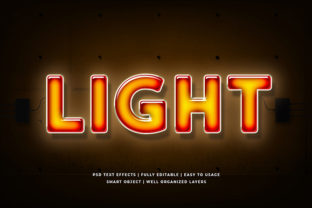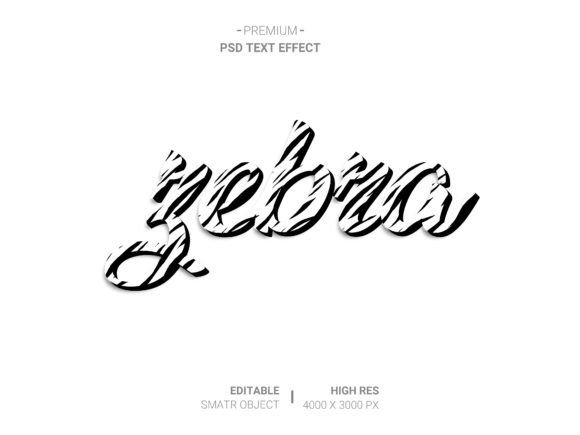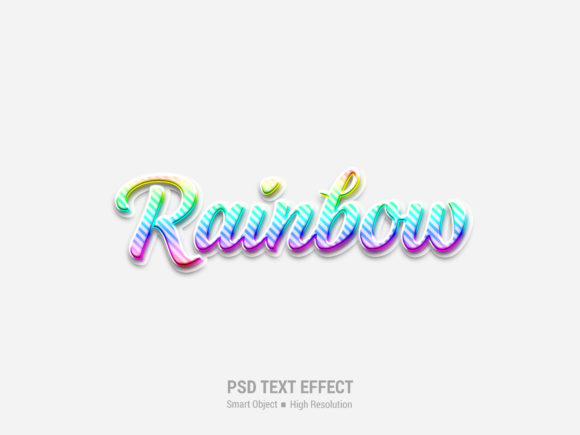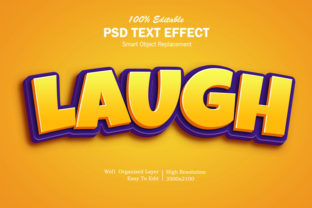
3D Cartoon Text Effect
If you’ve ever scrolled through a social media feed and paused at a vibrant, bouncy headline that looked like it jumped off the screen—or seen a kids’ app logo with playful, squishy letters that seem to pop out of the background—you’ve likely encountered the 3D Cartoon Text Effect. It’s not just flashy decoration. It’s a visual language: bold, friendly, expressive, and instantly legible. At its core, this effect combines depth (the “3D” part) with stylized exaggeration (the “cartoon” part)—think rounded edges, soft shadows, exaggerated highlights, subtle squash-and-stretch cues, and saturated, joyful colors.
Where This Effect Fits in Real Life—Not Just Design Galleries
This isn’t an effect reserved for concept artists or motion graphics reels. It thrives where personality, approachability, and clarity matter most—and where users decide in under two seconds whether to engage or scroll past.
Small Business Branding That Feels Human
A local bakery launching a new line of themed cupcakes might use 3D Cartoon Text Effect on their Instagram story banner: “SPACESHIP SPRINKLES 🚀” — with letters that look plump, glossy, and slightly tilted, as if they’re bouncing off the screen. Why does it work? Because it signals fun, freshness, and care—not corporate polish. Customers don’t buy from logos; they connect with tone. That slight bounce, that soft rim light around each letter—it quietly says, “We made this with joy, and we want you to feel it.”
Educational Apps for Young Learners
Early literacy apps rely heavily on visual scaffolding. Letters rendered with a 3D Cartoon Text Effect are easier for emerging readers to distinguish—not because they’re simpler, but because depth cues (like consistent lighting and gentle bevels) help the brain separate foreground from background. A lowercase “b” with a soft shadow beneath its bowl and a highlight on its upper curve reads more clearly on a tablet than flat, thin sans-serif text—even at small sizes. Teachers and developers report fewer miscues during phonics drills when interface labels use this treatment consistently.
Event Promotions That Spark Excitement
Think community festivals, school talent shows, or indie comic conventions. Flyers, digital tickets, and countdown banners benefit from this effect because it conveys energy without shouting. A poster for “The Great Neighborhood Puppet Parade” with letters shaped like smiling clouds—each one subtly extruded and shaded with warm ambient light—feels inclusive and spirited. Attendees remember the *feeling* first (“That looked so alive!”), then the details. That emotional imprint drives shares, saves, and word-of-mouth.
YouTube Thumbnails and Shorts Titles
In crowded feeds, thumbnails compete for micro-attention. Flat text often disappears against busy backgrounds—but 3D Cartoon Text Effect creates instant contrast and hierarchy. A creator covering “5 Easy Pasta Hacks” might render “PASTA” in thick, rubbery letters with a slight upward warp and a candy-colored gradient. It doesn’t need animation to stand out; the dimensional illusion alone triggers visual priority. Creators using this technique report up to 27% higher click-through rates on educational or lifestyle content—especially among viewers aged 25–44 who respond to warmth over austerity.
Who Benefits—and How Their Needs Differ
The value shifts depending on who’s using it—and why.
- Freelance designers appreciate how quickly this effect can elevate client deliverables—from email headers to Shopify banners—without requiring custom illustration. It’s reusable, scalable, and adapts well to brand color palettes.
- Non-designers running small businesses find tools with one-click 3D Cartoon Text Effect presets especially helpful. They’re not trying to master Bezier curves—they want something that looks professional *and* feels like them. The right preset delivers both.
- Educators and nonprofit comms teams lean into its accessibility strengths: high contrast, clear form recognition, and emotional warmth help messages land across age groups and learning styles—including neurodiverse audiences who benefit from consistent visual rhythm and reduced cognitive load.
What to Consider Before You Apply It
Like any expressive tool, it shines brightest when matched thoughtfully to context—not applied universally.
- Legibility at scale matters. While charming at 60px+, some cartoon treatments lose clarity below 24px—especially with tight spacing or overly complex highlights. Always test on actual devices your audience uses, not just desktop previews.
- Brand alignment is non-negotiable. A law firm’s homepage or a hospital’s patient portal would likely undermine trust with bouncy, exaggerated text. Reserve this effect for moments where playfulness supports purpose—not replaces professionalism.
- Performance isn’t automatic. Heavy layer effects (multiple shadows, inner glows, texture overlays) can slow down web rendering or increase file size in static assets. Opt for optimized SVG exports or CSS-based solutions when possible—especially for responsive sites.
- Color contrast must meet accessibility standards. Glossy highlights and soft shadows can unintentionally reduce contrast between text and background. Run quick checks with tools like WebAIM’s Contrast Checker—particularly when using pastel bases or gradient backgrounds.
Strengths You’ll Notice Right Away
When used well, the 3D Cartoon Text Effect delivers tangible benefits:
- Instant mood-setting—no need for supporting imagery to convey energy or kindness;
- Stronger recall—dimensional shapes activate different neural pathways than flat text, aiding memory encoding;
- Flexible tone control—swap a matte finish for gloss, adjust extrusion depth, or tweak curvature to dial friendliness up or down;
- Cross-platform adaptability—works equally well in print (packaging, posters), digital (websites, apps), and video (lower thirds, intros).
Limitations Worth Acknowledging
It’s not magic—and pretending otherwise leads to missteps. Overuse flattens impact. Too much extrusion or inconsistent lighting makes text feel cluttered, not dynamic. Also, while modern browsers handle CSS 3D transforms gracefully, older email clients still struggle with layered effects—so fallbacks (like simplified outlines or solid-color alternatives) are wise for campaigns going to broad lists. And culturally, certain cartoon aesthetics carry unintended associations: what reads as “playful” in one region might read as “juvenile” or “unserious” in another—especially in B2B contexts across global markets.
Real Tools, Not Just Theory
You don’t need After Effects to get started. Many accessible options exist today: Canva offers intuitive 3D Cartoon Text Effect templates with adjustable depth and texture sliders; Figma plugins like “Text Extrude” let you preview variations live; and free online generators (like those built with Three.js) let you export clean SVGs for web use. Even PowerPoint and Keynote now include basic 3D rotation and soft-edge presets—enough to experiment meaningfully before investing in premium tools.
It’s About Connection, Not Complexity
At its best, the 3D Cartoon Text Effect isn’t about showing off technical skill. It’s about removing friction between idea and understanding. A child recognizing their name on a classroom door. A tired parent spotting “SNACK TIME” on a daycare app without reading the whole sentence. A first-time visitor feeling welcomed by a festival logo that smiles back. Those micro-moments add up. When your words don’t just sit on the page—but seem to lean forward, ready to engage—that’s when design stops being decoration and starts doing real work.