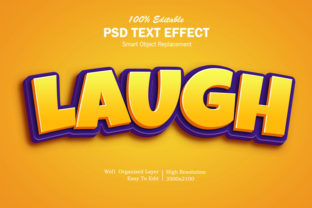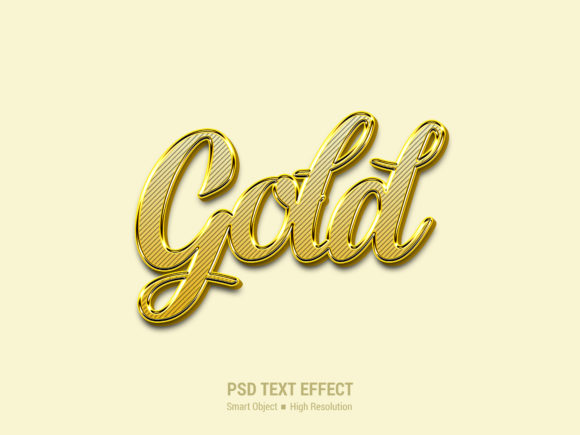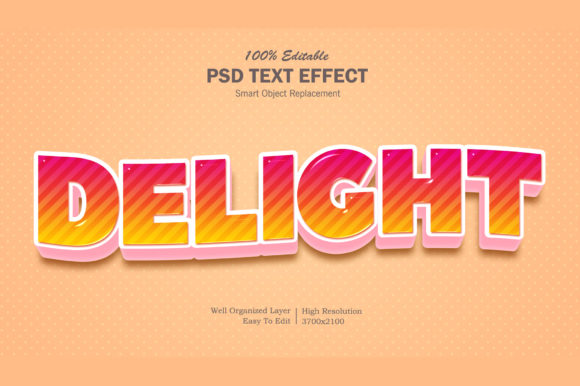
What Is a Cartoon 3D Editable Text Effect Template — And Why It Matters for Creators Today
Whether you're designing social media posts, crafting classroom presentations, or building a vibrant website banner, text doesn’t have to be plain. A Cartoon 3D Editable Text Effect Template is a powerful digital tool that transforms ordinary words into eye-catching, playful, and dimensionally rich visuals — all while remaining fully customizable. But what exactly does that mean? And why should designers, educators, marketers, and hobbyists care?
Breaking Down the Term: What Each Word Really Means
Let’s unpack the name step by step — because clarity starts with understanding the parts:
- Cartoon: Refers to a stylized, expressive aesthetic — think bold outlines, exaggerated proportions, bright colors, and friendly, approachable energy. It’s not just for kids’ shows; cartoon styling conveys warmth, creativity, and accessibility.
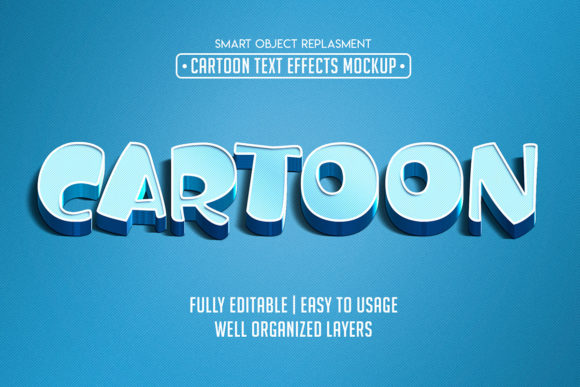
- 3D: Indicates depth perception — shadows, highlights, perspective, and layering that make text appear lifted off the screen. This isn’t full 3D modeling (like in Blender), but rather a simulated 3D effect achieved through smart layering, gradients, and lighting techniques.
- Editable: The most crucial part. Unlike static PNGs or flattened images, these templates let you change the text, font, size, color, spacing, shadow angle, and even background — usually within tools like Adobe Photoshop, Illustrator, Figma, or Canva.
- Text Effect Template: A pre-designed file structure that applies consistent visual rules to your input. Think of it as a “recipe” for great-looking text — ready to use, but flexible enough to match your brand or message.
Put together, a Cartoon 3D Editable Text Effect Template is a creative shortcut: a polished, professional-grade visual style you can adapt instantly — no advanced graphic design degree required.
Why This Template Type Is More Than Just “Fun” — Real-World Uses
At first glance, cartoon-style 3D text may seem like a novelty. But its practical value spans industries and everyday tasks:
Educational Materials That Stick
Teachers and e-learning designers use cartoon 3D text to highlight key vocabulary, section headers, or quiz answers. Because our brains process visual contrast and depth faster than flat text, students remember concepts better when headings pop with playful dimensionality. For example, a science worksheet titled “The Water Cycle!” rendered in bubbly blue 3D letters feels more inviting — and less intimidating — than standard Arial bold.
Social Media & Small Business Branding
Small business owners often lack time or budget for custom illustrations. With an editable template, they can generate branded banners for Instagram Stories, YouTube thumbnails, or Facebook event covers in under five minutes. A bakery might type “Grand Opening!” into the template, swap in pastel pink and vanilla tones, and instantly have cohesive, joyful visuals aligned with their identity.
Presentation Design That Engages, Not Distracts
PowerPoint and Google Slides default fonts often fade into the background. Replacing generic titles with cartoon 3D text adds personality without sacrificing readability — especially when paired with clean layouts and ample white space. The effect signals energy and intention, helping audiences subconsciously associate your content with creativity and confidence.
How It Fits Into Modern Creative Workflows
This template type thrives in today’s hybrid design ecosystem. Most high-quality versions are built for compatibility across platforms:
- Adobe Photoshop (.PSD): Offers pixel-perfect control over layers, blending modes, and raster effects — ideal for detailed adjustments and print-ready outputs.
- Adobe Illustrator (.AI) or SVG: Enables infinite scalability and crisp rendering at any size — perfect for logos, signage, or responsive web graphics.
- Figma or Canva (.FIG / .CANVA): Supports real-time collaboration, version history, and one-click theme swaps — a game-changer for teams and non-designers.
Importantly, these files are designed to be non-destructive. You’re never “baking in” changes — every edit stays live and reversible. That means swapping fonts won’t break shadows, resizing won’t blur edges, and updating colors maintains consistent luminance relationships.
Common Misconceptions — Clarified
Before diving in, it helps to clear up a few myths:
- “It’s only for kids’ content.” While cartoon aesthetics feel youthful, they’re widely used in tech startups (Slack, Duolingo), wellness brands (Headspace), and even financial apps (Acorns) to humanize complex topics and reduce cognitive load.
- “3D means I need special software or hardware.” Not at all. These templates simulate depth using 2D tools — no VR headset, no rendering farm, no knowledge of polygon modeling needed.
- “Editable = low quality.” Quite the opposite. Professional templates prioritize flexibility *and* fidelity — with organized layers, named groups, embedded fonts (or clear fallback instructions), and scalable vector elements where appropriate.
- “I’ll lose my brand consistency if I use a template.” Actually, templates help enforce consistency. By locking in core styles (e.g., “All headlines use Comic Neue Bold + 3D pop + #FF6B6B shadow”), teams maintain visual coherence across dozens of assets — faster and more reliably than manual design.
Getting Started: Simple Tips for Best Results
You don’t need to master design theory to benefit. Try these beginner-friendly practices:
- Start with purpose, not polish. Ask: “What emotion or action do I want this text to inspire?” Playful? Trustworthy? Urgent? Choose colors and weight accordingly — bouncy curves for fun, solid shadows for reliability.
- Respect hierarchy. Use cartoon 3D effects sparingly — ideally only for primary headlines. Subheadings and body copy stay clean and legible. Overuse dilutes impact.
- Test on real devices. A vivid 3D effect on desktop may look muddy on mobile. Preview at 100% scale on phones and tablets before finalizing.
- Pair with accessible contrast. Bright cartoon colors are great — but ensure text meets WCAG 2.1 AA contrast ratios (4.5:1 for normal text). Many templates include built-in contrast checkers or recommended palette swatches.
The Bigger Picture: Creativity, Efficiency, and Inclusion
In an age of information overload, how we present ideas matters as much as what we say. Cartoon 3D editable text templates represent a quiet evolution in digital communication: one that values approachability without oversimplification, speed without sacrificing quality, and creativity that empowers — not excludes.
They lower the barrier to entry for visual storytelling, letting teachers illustrate concepts, nonprofits amplify messages, and entrepreneurs stand out — all with dignity and delight. And as AI-assisted design tools grow more sophisticated, these templates will likely evolve to support dynamic variables (e.g., auto-generating seasonal variants or multilingual versions), further expanding their reach.
Ultimately, a Cartoon 3D Editable Text Effect Template isn’t just about making letters look cool. It’s about honoring attention, respecting time, and choosing joy — intentionally — in how we share ideas with the world.
Ready to try one? Look for templates labeled PSD, AI, or Figma-compatible, with clear documentation and commercial licensing — then type your first word, and watch it leap off the page.